Program
9. Develop Basic E-commerce UI Application.
If suffering to Execute in Android Studio?
Click here!
👆
Copy the code & paste here! for Execution 👆
import 'package:flutter/material.dart';

void main() => runApp(MaterialApp(home: MyShop(), debugShowCheckedModeBanner: false));

class MyShop extends StatefulWidget {
  @override
  _MyShopState createState() => _MyShopState();
}

class _MyShopState extends State {
  int cart = 0;
  final products = [
    {'name': 'Shoes', 'price': '\$49', 'img': 'https://th.bing.com/th/id/OIP.TTQmQMBo3hpkas3K9ac0gwHaFE?w=272&h=185&c=7&r=0&o=7&dpr=1.5&pid=1.7&rm=3'},
    {'name': 'Watch', 'price': '\$99', 'img': 'https://www.bing.com/th/id/OIP.fnUIpSvyIKlof48jPF9mrwHaE7?w=247&h=211&c=8&rs=1&qlt=90&o=6&dpr=1.5&pid=3.1&rm=2'},
    {'name': 'Bag', 'price': '\$39', 'img': 'https://www.bing.com/th/id/OIP.PpiJ2LdGZVq0SKKTPYTN_gHaJ4?w=174&h=211&c=8&rs=1&qlt=90&o=6&dpr=1.5&pid=3.1&rm=2'},
    {'name': 'T-Shirt', 'price': '\$19', 'img': 'https://cdn.pixabay.com/photo/2024/04/29/04/21/tshirt-8726721_1280.jpg'},
  ];

  @override
  Widget build(BuildContext context) {
    return Scaffold(
      appBar: AppBar(title: Text('MyShop'), actions: [
        Padding(
          padding: EdgeInsets.all(10),
          child: Stack(children: [
            Icon(Icons.shopping_cart),
            if (cart > 0)
              Positioned(
                right: 0,
                child: CircleAvatar(radius: 8, backgroundColor: Colors.red, child: Text('$cart', style: TextStyle(fontSize: 10, color: Colors.white))),
              )
          ]),
        )
      ]),
      body: GridView.builder(
        padding: EdgeInsets.all(10),
        itemCount: products.length,
        gridDelegate: SliverGridDelegateWithFixedCrossAxisCount(crossAxisCount: 2, childAspectRatio: 0.7, crossAxisSpacing: 10, mainAxisSpacing: 10),
        itemBuilder: (_, i) {
          var p = products[i];
          return Card(
            child: Column(children: [
              Expanded(child: Image.network(p['img']!, fit: BoxFit.cover)),
              Text(p['name']!, style: TextStyle(fontWeight: FontWeight.bold)),
              Text(p['price']!, style: TextStyle(color: Colors.grey)),
              ElevatedButton(onPressed: () => setState(() => cart++), child: Text('Add'))
            ]),
          );
        },
      ),
    );
  }
}
Output:
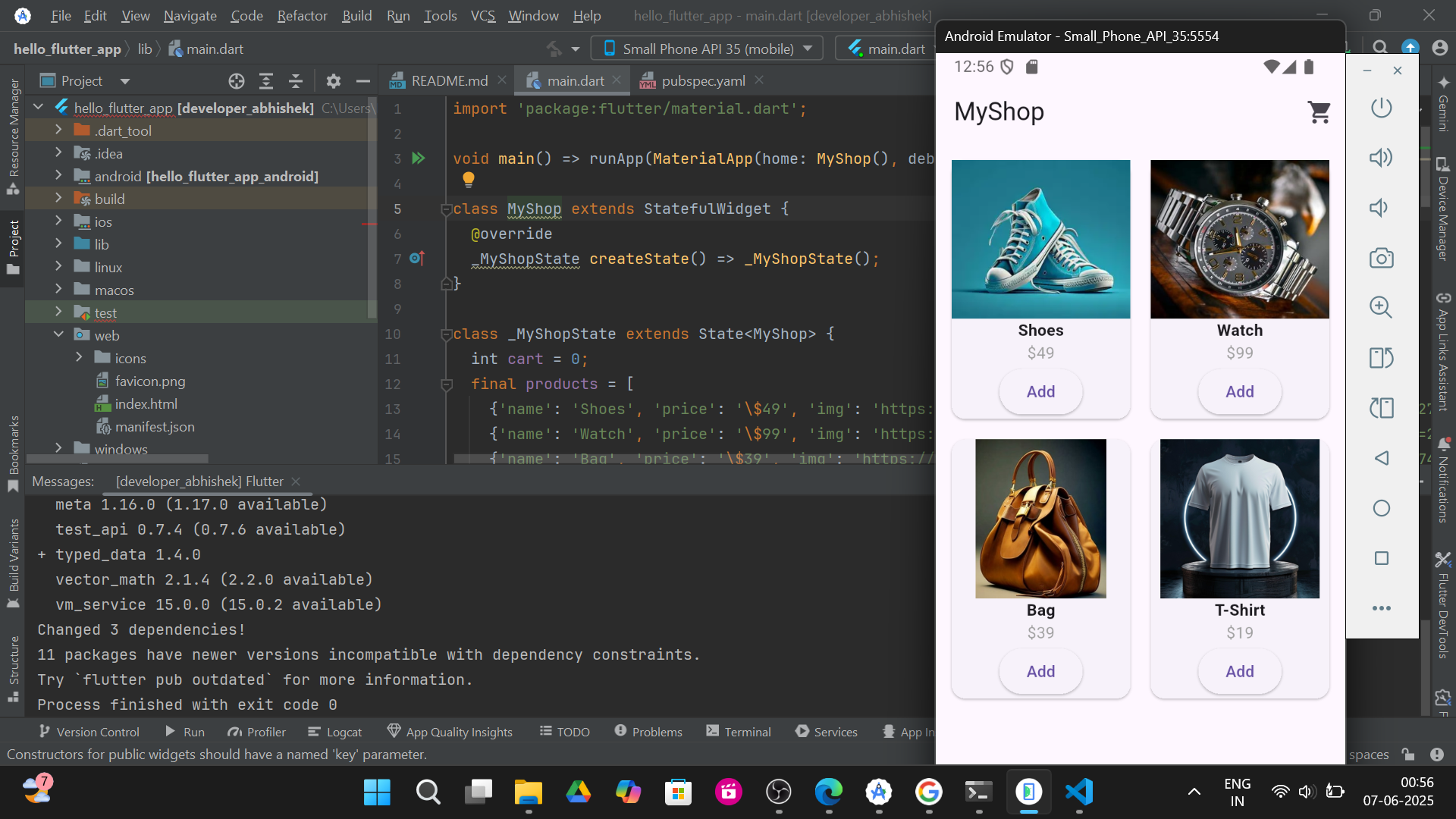
1.Shop home :-
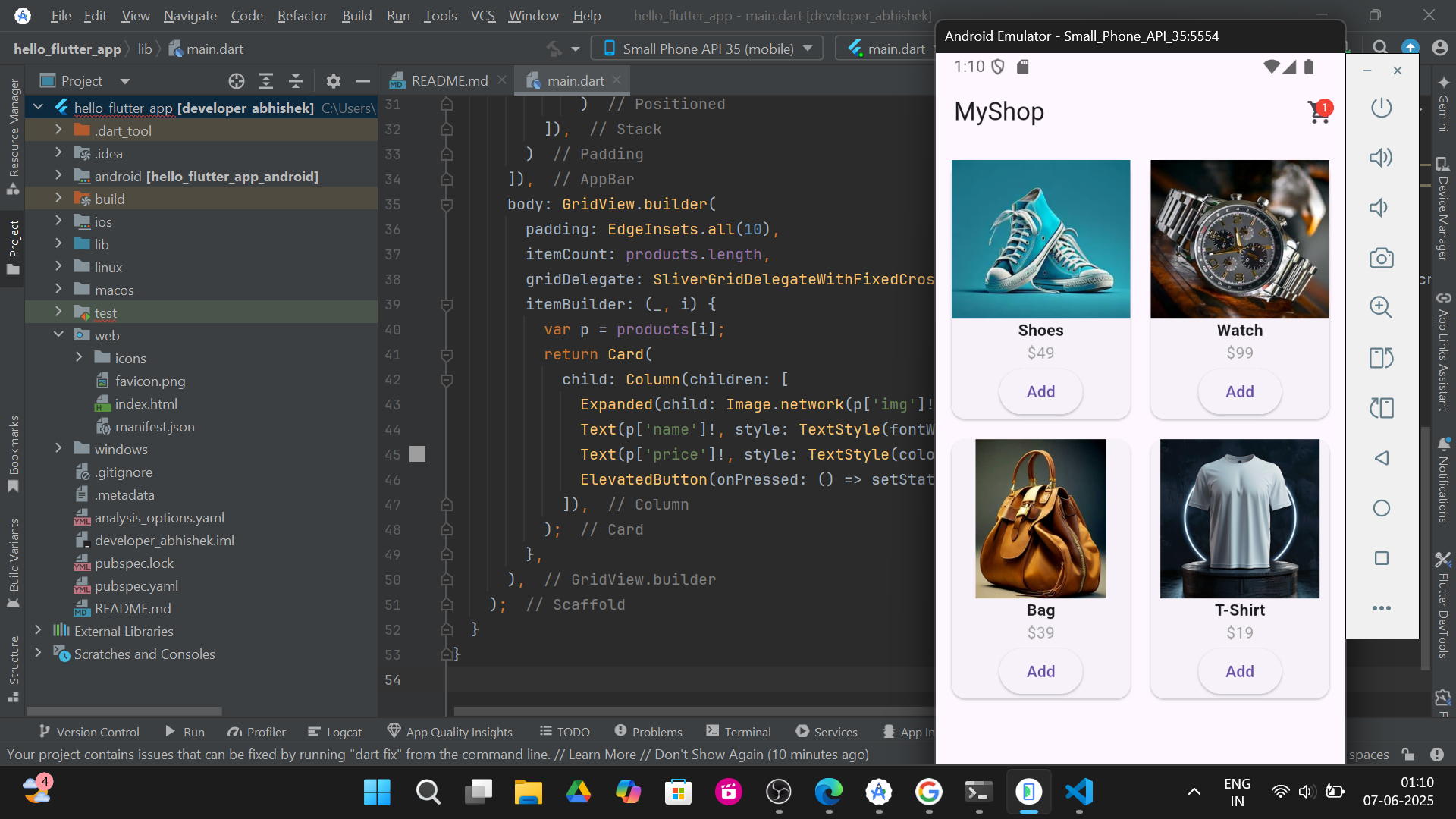
2.Shoes added to Cart :-
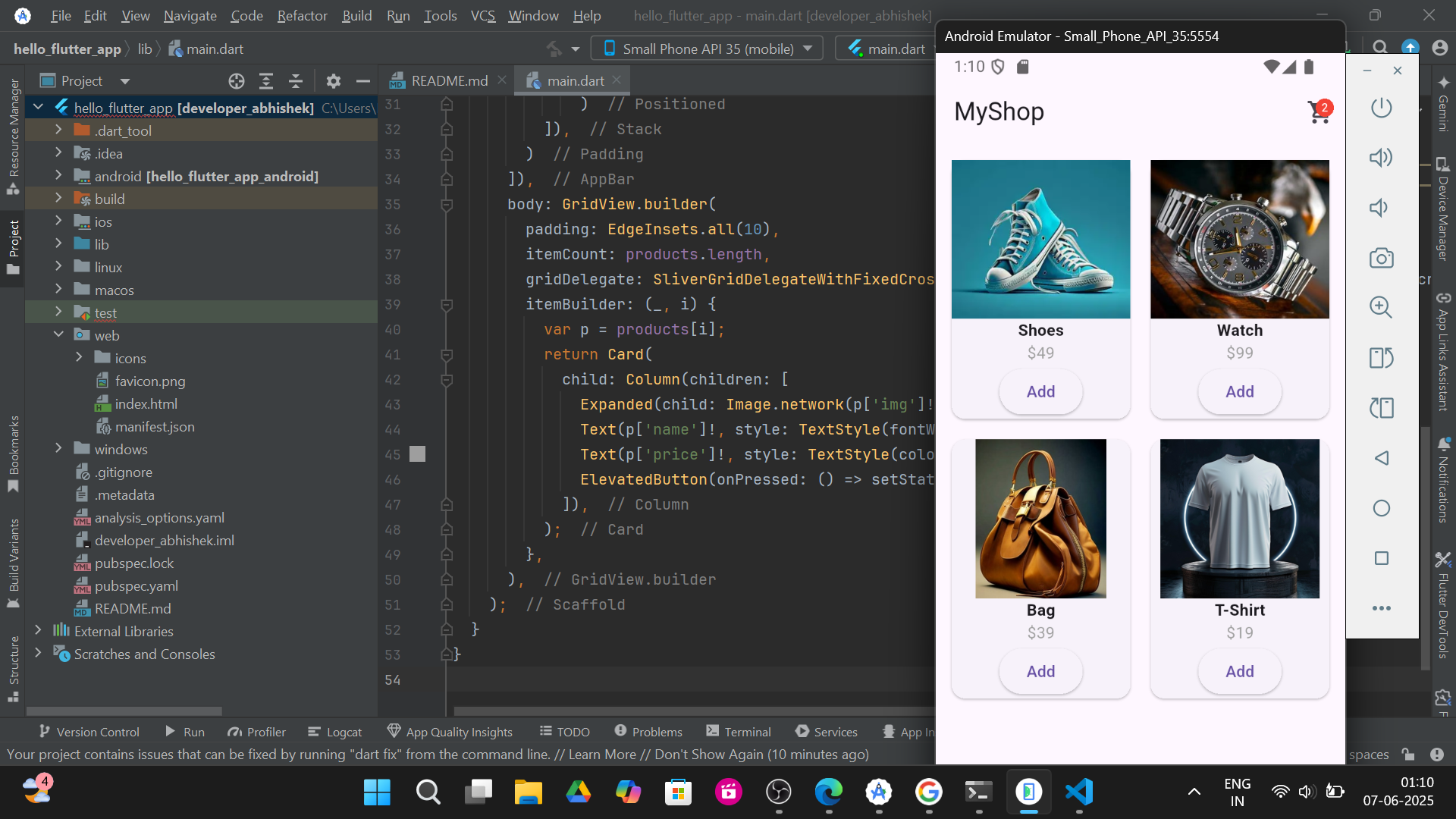
3.T-Shirt added to Cart :-