All programs
Web Technology Lab · BCSL504
Web Tech (HTML · CSS · JS)
Problem Statement Program 7
Develop a JavaScript program (with HTML/CSS) for the following:
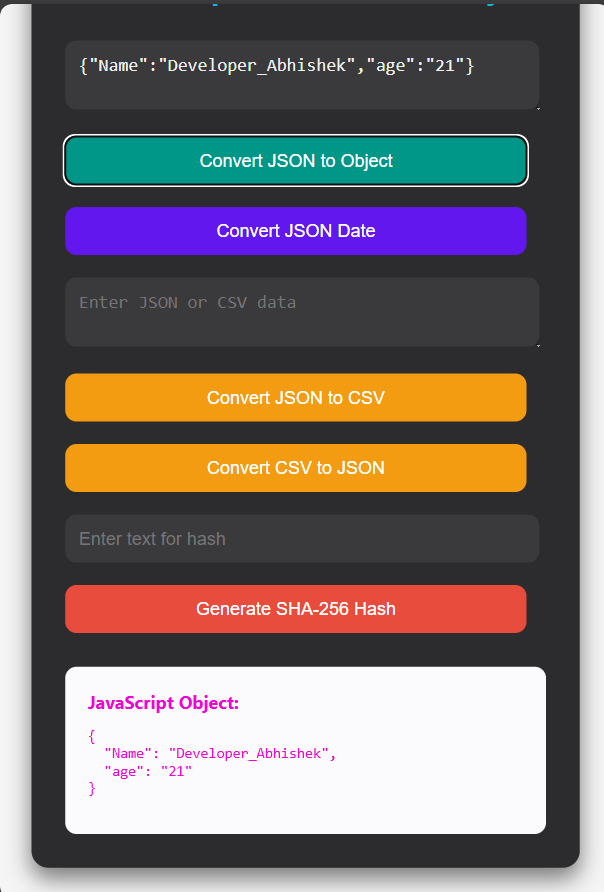
a) Converting JSON text to a JavaScript Object.
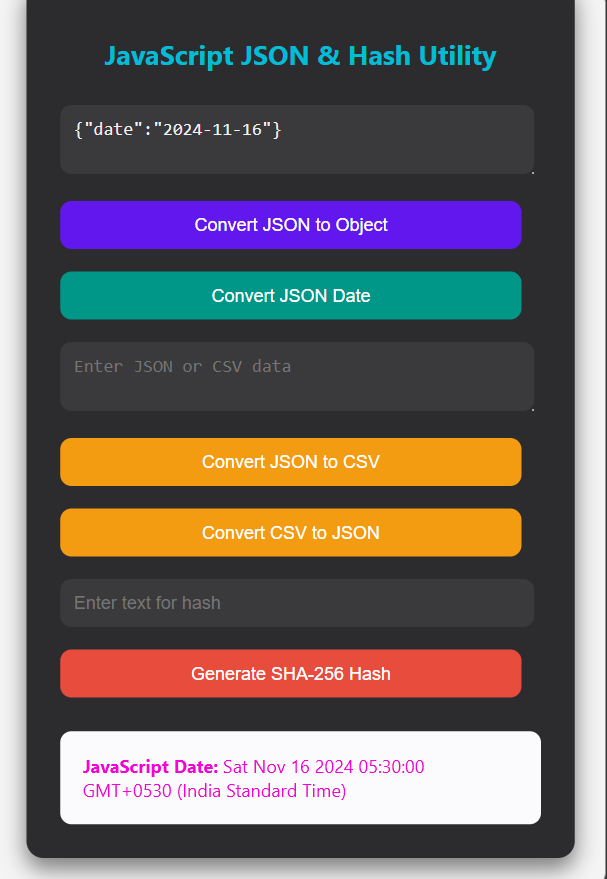
b) Converting JSON date values into JavaScript Date objects.
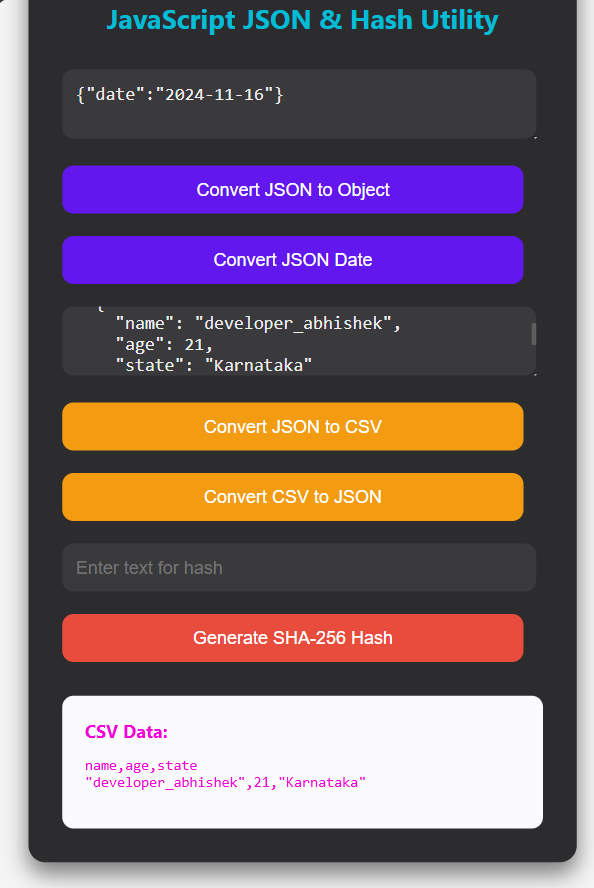
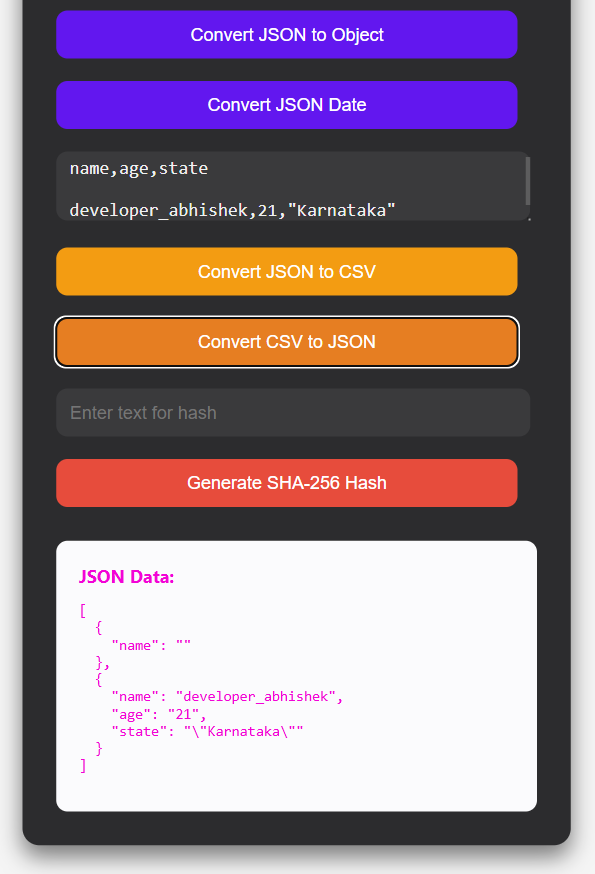
c) Converting JSON data to CSV format and CSV data to JSON format.
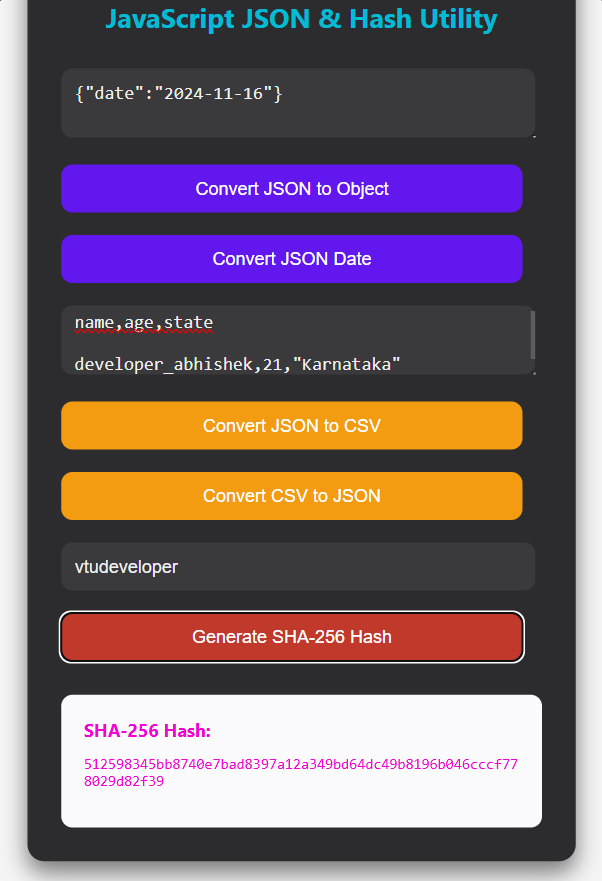
d) Creating a hash from a string using the crypto.createHash() method (or SHA-256 hashing using the Web Crypto API in the browser).
Web Tech (HTML · CSS · JS) Code Source
index.html
<!DOCTYPE html>
<html lang="en">
<head>
    <meta charset="UTF-8">
    <meta name="viewport" content="width=device-width, initial-scale=1.0">
    <title>JavaScript JSON & Hash Utility</title>
    <style>
        body {
            font-family: 'Segoe UI', Tahoma, Geneva, Verdana, sans-serif;
            background-color: whitesmoke;
            color: #f0f0f0;
            display: flex;
            justify-content: center;
            align-items: center;
            min-height: 100vh;
            padding: 20px;
        }
        .container {
            max-width: 700px;
            background-color: #2c2c2e;
            padding: 30px;
            border-radius: 15px;
            box-shadow: 0 10px 20px rgba(0, 0, 0, 0.5);
        }
        h2 {
            color: #00bcd4;
            text-align: center;
            margin-bottom: 20px;
        }
        textarea,
        input[type="text"] {
            width: 93%;
            padding: 12px;
            margin: 10px 0;
            border: none;
            border-radius: 10px;
            background-color: #3a3a3c;
            color: #f0f0f0;
            font-size: 16px;
        }
        button {
            color: white;
            width: 96%;
            padding: 12px;
            margin: 10px 0;
            border: none;
            border-radius: 10px;
            cursor: pointer;
            font-size: 16px;
            transition: background-color 0.3s ease;
        }
        .convert-btn {
            background-color: #6217ef;
        }
        .convert-btn:hover {
            background-color: #009688;
        }
        .csv-btn {
            background-color: #f39c12;
        }
        .csv-btn:hover {
            background-color: #e67e22;
        }
        .hash-btn {
            background-color: #e74c3c;
        }
        .hash-btn:hover {
            background-color: #c0392b;
        }
        .output {
            background-color: #fbfbfd;
            padding: 20px;
            border-radius: 10px;
            color: #f303d7;
            margin-top: 20px;
            overflow-x: auto;
        }
        pre {
            white-space: pre-wrap;
            word-break: break-word;
        }
    </style>
</head>
<body>

<div class="container">
    <h2>JavaScript JSON & Hash Utility</h2>

    <textarea id="jsonInput" placeholder='Enter JSON (e.g., {"name": "John", "age": 30})'></textarea>

    <button class="convert-btn" onclick="convertJSON()">
        Convert JSON to Object
    </button>

    <button class="convert-btn" onclick="convertDate()">
        Convert JSON Date
    </button>

    <textarea id="csvInput" placeholder="Enter JSON or CSV data"></textarea>

    <button class="csv-btn" onclick="convertToCSV()">
        Convert JSON to CSV
    </button>

    <button class="csv-btn" onclick="convertToJSON()">
        Convert CSV to JSON
    </button>

    <input type="text" id="hashInput" placeholder="Enter text for hash">

    <button class="hash-btn" onclick="generateHash()">
        Generate SHA-256 Hash
    </button>

    <div id="output" class="output"></div>
</div>

<script>
function convertJSON() {
    const jsonInput = document.getElementById('jsonInput').value;
    const output = document.getElementById('output');

    try {
        const obj = JSON.parse(jsonInput);
        output.innerHTML =
            `<strong>JavaScript Object:</strong>
            <pre>${JSON.stringify(obj, null, 2)}</pre>`;
    } catch (error) {
        output.innerHTML =
            `<strong style="color:#ff6f61;">Error:</strong> Invalid JSON format.`;
    }
}

function convertDate() {
    const jsonInput = document.getElementById('jsonInput').value;
    const output = document.getElementById('output');

    try {
        const obj = JSON.parse(jsonInput);

        if (obj.date) {
            const date = new Date(obj.date);
            output.innerHTML =
                `<strong>JavaScript Date:</strong> ${date.toString()}`;
        } else {
            output.innerHTML =
                `<strong style="color:#ff6f61;">Error:</strong> No 'date' field found in JSON.`;
        }
    } catch (error) {
        output.innerHTML =
            `<strong style="color:#ff6f61;">Error:</strong> Invalid JSON format.`;
    }
}

function convertToCSV() {
    const jsonInput = document.getElementById('csvInput').value;
    const output = document.getElementById('output');

    try {
        const array = JSON.parse(jsonInput);
        const headers = Object.keys(array[0]);

        const csv = [
            headers.join(','),
            ...array.map(row =>
                headers.map(field =>
                    JSON.stringify(row[field], null, 2)
                ).join(',')
            )
        ].join('\n');

        output.innerHTML =
            `<strong>CSV Data:</strong>
            <pre>${csv}</pre>`;
    } catch (error) {
        output.innerHTML =
            `<strong style="color:#ff6f61;">Error:</strong> Invalid JSON format for CSV conversion.`;
    }
}

function convertToJSON() {
    const csvInput = document.getElementById('csvInput').value;
    const output = document.getElementById('output');

    try {
        const [headerLine, ...lines] = csvInput.split('\n');
        const headers = headerLine.split(',');

        const json = lines.map(line => {
            const values = line.split(',');

            return headers.reduce((obj, header, index) => {
                obj[header] = values[index];
                return obj;
            }, {});
        });

        output.innerHTML =
            `<strong>JSON Data:</strong>
            <pre>${JSON.stringify(json, null, 2)}</pre>`;
    } catch (error) {
        output.innerHTML =
            `<strong style="color:#ff6f61;">Error:</strong> Invalid CSV format for JSON conversion.`;
    }
}

async function generateHash() {
    const text = document.getElementById('hashInput').value;
    const output = document.getElementById('output');

    if (!text) {
        output.innerHTML =
            `<strong style="color:#ff6f61;">Error:</strong> Please enter text to hash.`;
        return;
    }

    const hashBuffer = await crypto.subtle.digest(
        'SHA-256',
        new TextEncoder().encode(text)
    );

    const hashArray = Array.from(new Uint8Array(hashBuffer));

    const hashHex = hashArray
        .map(b => b.toString(16).padStart(2, '0'))
        .join('');

    output.innerHTML =
        `<strong>SHA-256 Hash:</strong>
        <pre>${hashHex}</pre>`;
}
</script>

</body>
</html>
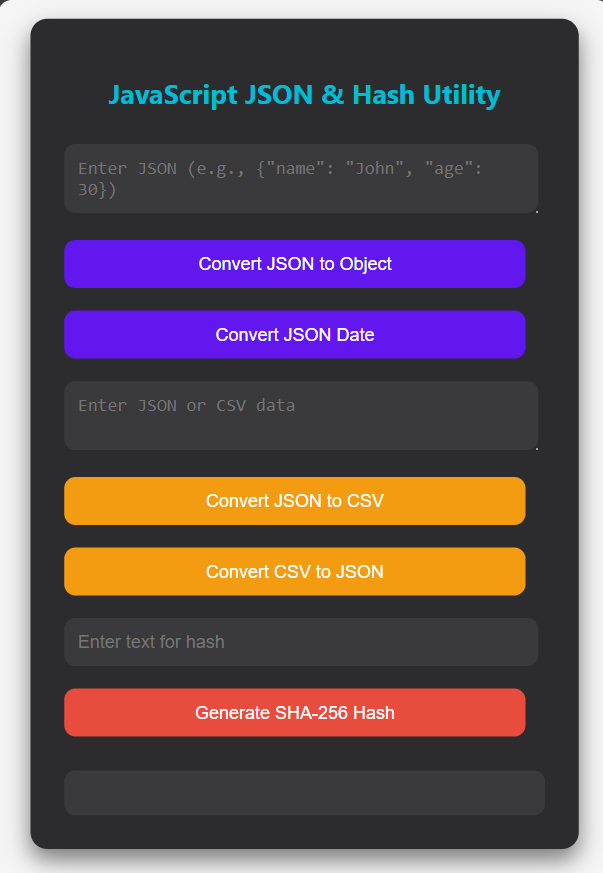
Output 6 screenshots
1
VTU Developer
2
VTU Developer
3
VTU Developer
4
VTU Developer
5
VTU Developer
6
VTU Developer
Download the clean, watermark-free output images — ₹1.00
Protected content · © VTU Developer · Unauthorised distribution is prohibited