All programs
Web Technology Lab · BCSL504
Web Tech (HTML · CSS · JS)
Problem Statement Program 9
Develop a jQuery script (with HTML/CSS) for the following:
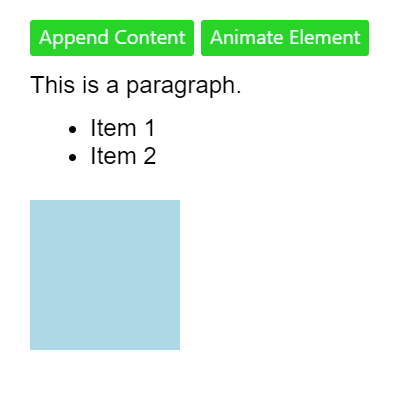
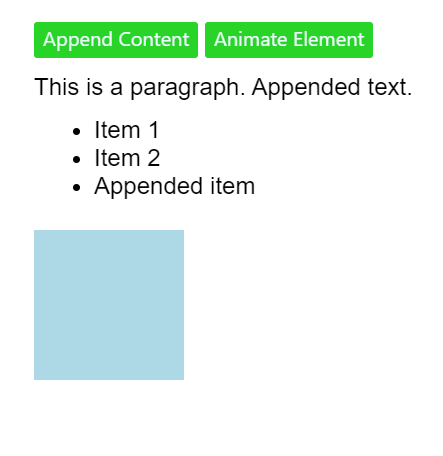
a) Appends the content at the end of the existing paragraph and list.
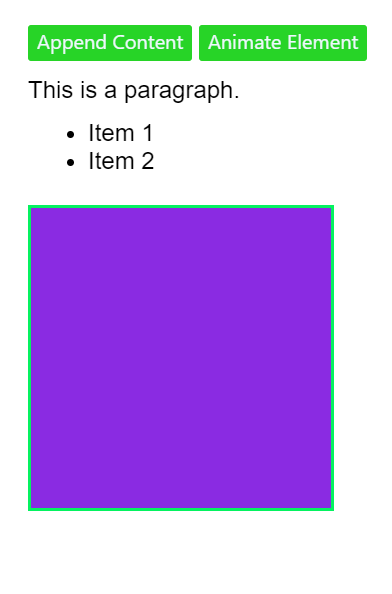
b) Change the state of the element with CSS style using animate() method.
c) Change the color of any div that is animated.
Web Tech (HTML · CSS · JS) Code Source
index.html
<!DOCTYPE html>
<html lang="en">
<head>
  <meta charset="UTF-8">
  <meta name="viewport" content="width=device-width, initial-scale=1.0">
  <title>jQuery Script</title>

  <script src="https://code.jquery.com/jquery-3.6.0.min.js"></script>

  <style>
    body {
      font-family: Arial, sans-serif;
    }

    .container {
      margin: 20px;
    }

    button {
      background-color: rgb(39, 212, 39);
      border: none;
      color: aliceblue;
      font-family: 'Segoe UI', Tahoma, Geneva, Verdana, sans-serif;
      border-radius: 2px;
      padding-bottom: 5px;
    }

    p,
    ul {
      margin: 10px 0;
    }

    .animated-div {
      width: 100px;
      height: 100px;
      background-color: lightblue;
      margin-top: 20px;
    }

    .highlight {
      border: 2px solid rgb(5, 242, 96);
    }
  </style>
</head>

<body>

<div class="container">

  <button id="appendContent">Append Content</button>

  <button id="animateElement">Animate Element</button>

  <p id="paragraph">This is a paragraph.</p>

  <ul id="list">
    <li>Item 1</li>
    <li>Item 2</li>
  </ul>

  <div class="animated-div"></div>

</div>

<script>

$(document).ready(function () {

  // a. Append content to paragraph and list
  $('#appendContent').click(function () {

    $('#paragraph').append(' Appended text.');

    $('#list').append('<li>Appended item</li>');

  });

  // b. Animate element
  $('#animateElement').click(function () {

    $('.animated-div').animate(

      {
        width: '200px',
        height: '200px',
      },

      1000,

      function () {

        // c. Change color after animation
        $(this).css('background-color', 'blueviolet').addClass('highlight');

      }

    );

  });

});

</script>

</body>
</html>
Output 3 screenshots
1
VTU Developer
2
VTU Developer
3
VTU Developer
Download the clean, watermark-free output images — ₹1.00
Protected content · © VTU Developer · Unauthorised distribution is prohibited