All programs
Web Technology Lab · BCSL504
Web Tech (HTML · CSS · JS)
Problem Statement Program 10
Develop a JavaScript program with AJAX (with HTML/CSS) for the following:
a) Use ajax() method (without jQuery) to add the text content from a text file by sending an AJAX request.
b) Use ajax() method (with jQuery) to add the text content from a text file by sending an AJAX request.
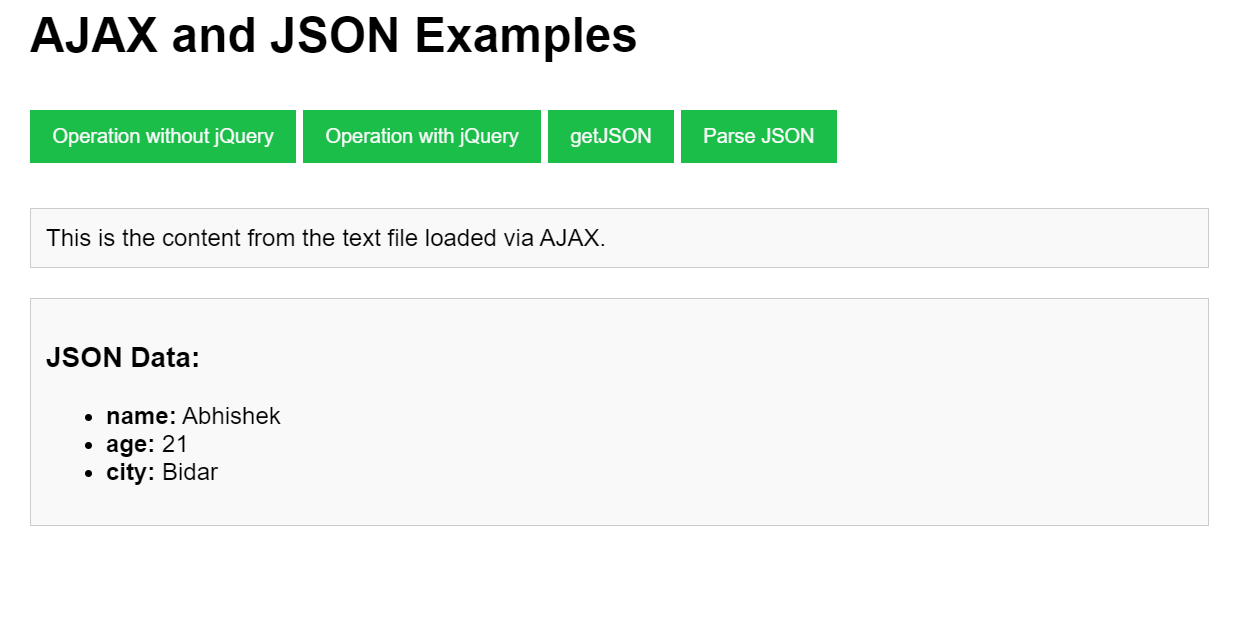
c) Illustrate the use of getJSON() method in jQuery.
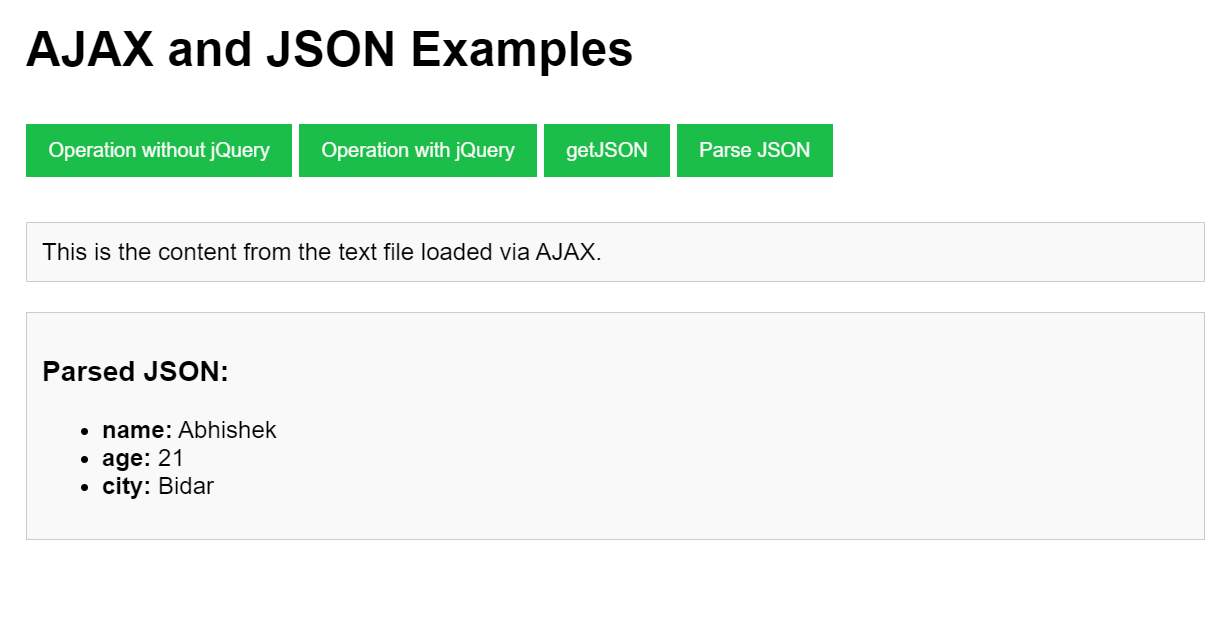
d) Illustrate the use of parseJSON() method to display JSON values.
Web Tech (HTML · CSS · JS) Code Source
index.html
<!DOCTYPE html>
<html lang="en">
<head>
  <meta charset="UTF-8">
  <meta name="viewport" content="width=device-width, initial-scale=1.0">
  <title>AJAX and JSON Examples</title>

  <style>
    body {
      font-family: Arial, sans-serif;
    }

    .container {
      margin: 20px;
    }

    button {
      margin: 10px 0;
      padding: 10px 15px;
      cursor: pointer;
      border: none;
      color: #f9f9f9;
      background-color: rgb(26, 190, 73);
    }

    #content,
    #jsonContent {
      margin-top: 20px;
      padding: 10px;
      border: 1px solid #ccc;
      background-color: #f9f9f9;
    }
  </style>

  <script src="https://code.jquery.com/jquery-3.6.0.min.js"></script>
</head>

<body>

<div class="container">

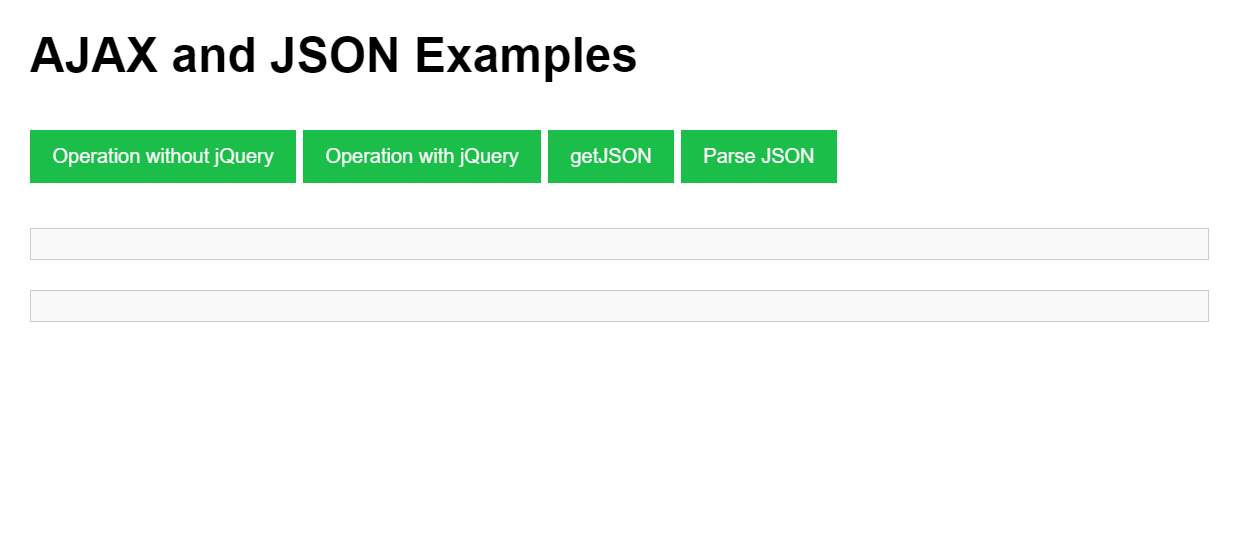
  <h1>AJAX and JSON Examples</h1>

  <button id="loadTextJS">Operation without jQuery</button>

  <button id="loadTextJQ">Operation with jQuery</button>

  <button id="loadJSON">getJSON</button>

  <button id="parseJSON">Parse JSON</button>

  <div id="content"></div>

  <div id="jsonContent"></div>

</div>

<script>

// Without jQuery AJAX Method

document.getElementById("loadTextJS").addEventListener("click", function () {

  const xhr = new XMLHttpRequest();

  xhr.open("GET", "example.txt", true);

  xhr.onload = function () {

    if (xhr.status === 200) {

      document.getElementById("content").innerText = xhr.responseText;

    }

  };

  xhr.onerror = function () {

    console.error("An error occurred while processing the request.");

  };

  xhr.send();

});

// With jQuery AJAX Method

$("#loadTextJQ").click(function () {

  $.ajax({

    url: "example.txt",

    method: "GET",

    success: function (data) {

      $("#content").text(data);

    },

    error: function () {

      console.error("Error loading the text file.");

    }

  });

});

// jQuery getJSON() Method

$("#loadJSON").click(function () {

  $.getJSON("example.json", function (data) {

    let output = "<h3>JSON Data:</h3><ul>";

    $.each(data, function (key, value) {

      output += `<li><strong>${key}:</strong> ${value}</li>`;

    });

    output += "</ul>";

    $("#jsonContent").html(output);

  });

});

// jQuery parseJSON() Method

$("#parseJSON").click(function () {

  const jsonString =
  '{"name":"John Doe","age":30,"city":"New York"}';

  const jsonObj = $.parseJSON(jsonString);

  let output = "<h3>Parsed JSON:</h3><ul>";

  for (let key in jsonObj) {

    output += `<li><strong>${key}:</strong> ${jsonObj[key]}</li>`;

  }

  output += "</ul>";

  $("#jsonContent").html(output);

});

</script>

</body>
</html>
Output 3 screenshots
1
VTU Developer
2
VTU Developer
3
VTU Developer
Download the clean, watermark-free output images — ₹1.00
Protected content · © VTU Developer · Unauthorised distribution is prohibited